Android SELinux Internals Part IV - Policy Analysis, Kernel Mitigations, and Android 16 Changes
All parts in this series
- 1 Android SELinux Internals Part I | 8kSec Blogs
- 2 Android SELinux Internals Part II - SELinux Domains, Denials, and Bypass with Root Tools
- 3 Android SELinux Internals Part III - Kernel-Level SELinux Bypass and Real-World Exploit Chains
- 4 Android SELinux Internals Part IV - Policy Analysis, Kernel Mitigations, and Android 16 Changes
← Part III: Kernel-Level SELinux Bypass and Real-World Exploit Chains
Introduction
In Part III, we covered six kernel-level techniques for bypassing SELinux enforcement and walked through how five real-world exploit chains dealt with SELinux. That post was focused on the offensive side, and how attackers get past SELinux once they have a kernel memory corruption primitive.
In this last past of the Android SELinux Internals series, the focus shifts to the other side of the equation. We’ll look at understanding the policy itself, analyzing what’s actually enforced on a target device, and knowing what mitigations stand between an attacker and a working exploit. We’ll cover the Android Treble policy split, and why vendor policy is usually the weakest link, a practical policy analysis workflow using sesearch, the kernel mitigations that make building exploit primitives harder on modern devices, and what changed in Android 16.
By the end of this post, you’ll understand:
- How the Android Treble policy split works and why vendor policy is often where the interesting attack surface lives
- A step-by-step workflow for auditing SELinux policy on a target device
- How kCFI, PAC, MTE, and SCS affect the exploit chains needed to reach SELinux bypass
- What’s new in Android 16’s SELinux implementation along with the new domains, genfs versioning, kernel 6.6 structural changes
Let’s get into it!
Android Treble and the SELinux Policy Split
Since Android 8.0, the SELinux policy is split between platform (Google) and vendor (OEM) components. If you’re auditing a real device’s policy, you need to understand how this split works, especially because vendor policy is where the juicy stuff usually is.
The Split Architecture
/system/etc/selinux/                  # Platform policy (Google)
├── plat_sepolicy.cil                 # Compiled platform policy (CIL format)
├── plat_file_contexts                # File labels for /system
├── plat_seapp_contexts               # App domain mappings
├── plat_mac_permissions.xml          # Certificate → seinfo mappings
├── plat_property_contexts            # System property labels
├── plat_hwservice_contexts           # HIDL/AIDL service labels
├── plat_service_contexts             # Binder service labels
├── plat_sepolicy_genfs_202504.cil    # Genfs labels (current version)
├── plat_sepolicy_genfs_202604.cil    # Genfs labels (next version)
├── bug_map                           # Maps known denials to bug tracker IDs
└── mapping/                          # Compatibility mappings
    └── 202504.cil                    # Maps old types to new for vendor compat

/vendor/etc/selinux/                  # Vendor policy (OEM: Samsung, Xiaomi, etc.)
├── vendor_sepolicy.cil               # Compiled vendor policy
├── vendor_file_contexts              # File labels for /vendor, /odm
├── vendor_seapp_contexts             # Vendor app domain mappings
├── vendor_property_contexts          # Vendor property labels
├── vendor_mac_permissions.xml        # Vendor certificate → seinfo mappings
├── vendor_hwservice_contexts         # Vendor HIDL/AIDL service labels
├── vndservice_contexts               # Vendor-native service labels
├── precompiled_sepolicy              # Precompiled merged binary policy
├── plat_pub_versioned.cil            # Public platform types versioned for vendor
├── plat_sepolicy_vers.txt            # Platform sepolicy version identifier
├── genfs_labels_version.txt          # Active genfs label set version
└── selinux_denial_metadata           # Maps known denials to bug tracker IDs

/odm/etc/selinux/             # ODM policy (device-specific overlays)
├── odm_sepolicy.cil          # ODM-specific policy
└── odm_file_contexts         # ODM file labels

/system_ext/etc/selinux/      # System extension policy
├── system_ext_sepolicy.cil
└── system_ext_file_contexts
The CIL Policy Format
Starting with Android 8, policies are compiled to CIL (Common Intermediate Language) format rather than the older binary policy format. CIL is a text-based format that’s easier to merge:
;; Example CIL policy fragment
(type untrusted_app)
(roletype object_r untrusted_app)
(typeattributeset domain (untrusted_app))
(typeattributeset appdomain (untrusted_app))

(allow untrusted_app app_data_file (file (read write create open getattr)))
(allow untrusted_app app_data_file (dir (read write create search)))
At boot time, init calls the policy compiler to merge all CIL files into a single binary policy and loads it into the kernel:
plat_sepolicy.cil + mapping/*.cil + vendor_sepolicy.cil + odm_sepolicy.cil
    → secilc (compiler)
    → /sys/fs/selinux/load
Why We Should Care
The platform and vendor policies are compiled separately and merged at boot. This creates some dynamics that are directly relevant to exploit development and policy auditing:
1. Vendor policy can only reference public platform types
Google maintains a public API of types that vendors can reference (defined in system/sepolicy/public/ in the AOSP source tree). Vendors cannot reference types from system/sepolicy/private/. An important note over here is that these are build-time source directories, and they don’t exist on the device itself. On the device, both are compiled into plat_sepolicy.cil. This means:
# This is a PUBLIC type — vendors can reference it:
# (AOSP source: system/sepolicy/public/untrusted_app.te)
type untrusted_app, domain;

# This is a PRIVATE type — vendors CANNOT reference it:
# (AOSP source: system/sepolicy/private/some_internal_type.te)
type some_internal_type, domain;
2. Compatibility attributes bridge platform version changes
When Google renames or restructures a type between Android versions, they add mapping attributes so vendor policies compiled for an older Android version still work:
;; mapping/34.0.cil — Maps Android 14 (API 34) types to Android 16 types
(typeattribute sysfs_34_0)
(typeattributeset sysfs_34_0 (sysfs))

;; A vendor rule written for Android 14:
;; (allow vendor_hal sysfs_34_0 (file (read)))
;; This works on Android 16 because sysfs_34_0 maps to sysfs
3. Vendor types must be prefixed with vendor_
# Vendor-defined types in the public namespace:
type vendor_camera_hal, domain;
type vendor_wifi_hal, domain;
type vendor_gpu_device, dev_type;
This isolation prevents vendors from accidentally, or intentionally granting themselves access to platform-internal types.
4. Vendor policy is often the weakest link
OEMs frequently add overly permissive rules for their custom HALs which are Hardware Abstraction Layers, and proprietary services. We’ve seen some pretty wild ones in the wild:
# Real examples of overly permissive vendor rules found in the wild:
allow vendor_camera_hal device:chr_file { read write open ioctl };
allow vendor_gpu_service self:capability { sys_admin sys_rawio };
allow vendor_fingerprint_hal system_data_file:file { read write };
These kinds of rules are gift-wrapped escalation paths for an attacker who’s gained code execution in a vendor process.
5. Neverallow rules are build-time only, and not enforced at runtime
This is one that catches people off guard: the AOSP policy source contains neverallow rules that are checked by checkpolicy/secilc at build time and validated during CTS certification, but they are not compiled into the binary policy. The kernel only evaluates allow rules at runtime. So tools like magiskpolicy and sepolicy-inject can freely add rules that violate neverallow constraints, and a kernel exploit that modifies the policydb can add whatever it wants. Don’t rely on neverallow rules as a runtime security guarantee — they’re a development-time safety net only.
Dumping and Analyzing the Full Policy
You can dump the full merged policy from a running device. As covered in Part I and Part II, we use the seinfo and sesearch binaries from setools-android pushed to the device:
# Push setools-android binaries to the device (see Parts I and II for setup)
# These run ON the device, not on your host machine
# Reading /sys/fs/selinux/policy requires root (shell domain is blocked by SELinux)

# Get stats — this shows the total size of the policy
$ adb shell su -c "/data/local/tmp/seinfo --stats /sys/fs/selinux/policy"
Statistics for policy file: /sys/fs/selinux/policy
Policy Version & Type: v.30 (binary, mls)

   Classes:           107    Permissions:       240
   Common classes:      5
   Sensitivities:       1    Categories:       1024
   Types:               0    Attributes:       2283
   Users:               1    Roles:               4
   Booleans:            0    Cond. Expr.:         0
   Allow:           57742    Neverallow:          0    # ← Not present in binary policy!
   Auditallow:         47    Dontaudit:         697
   Type_trans:        783    Type_change:         0
   Permissives:         1    Polcap:              4

# Note: The Allow count (57742) is inflated by Magisk's permissive rules.
# On a stock device the count would be significantly lower.
# Types shows 0 because setools-android v1.3 doesn't fully parse modern policy formats,
# but it still correctly resolves allow rules, which is what matters for auditing.

# Examine what untrusted_app can do
$ adb shell su -c "/data/local/tmp/sesearch -A -s untrusted_app /sys/fs/selinux/policy" | wc -l
163  # Number of allow rules where untrusted_app is the source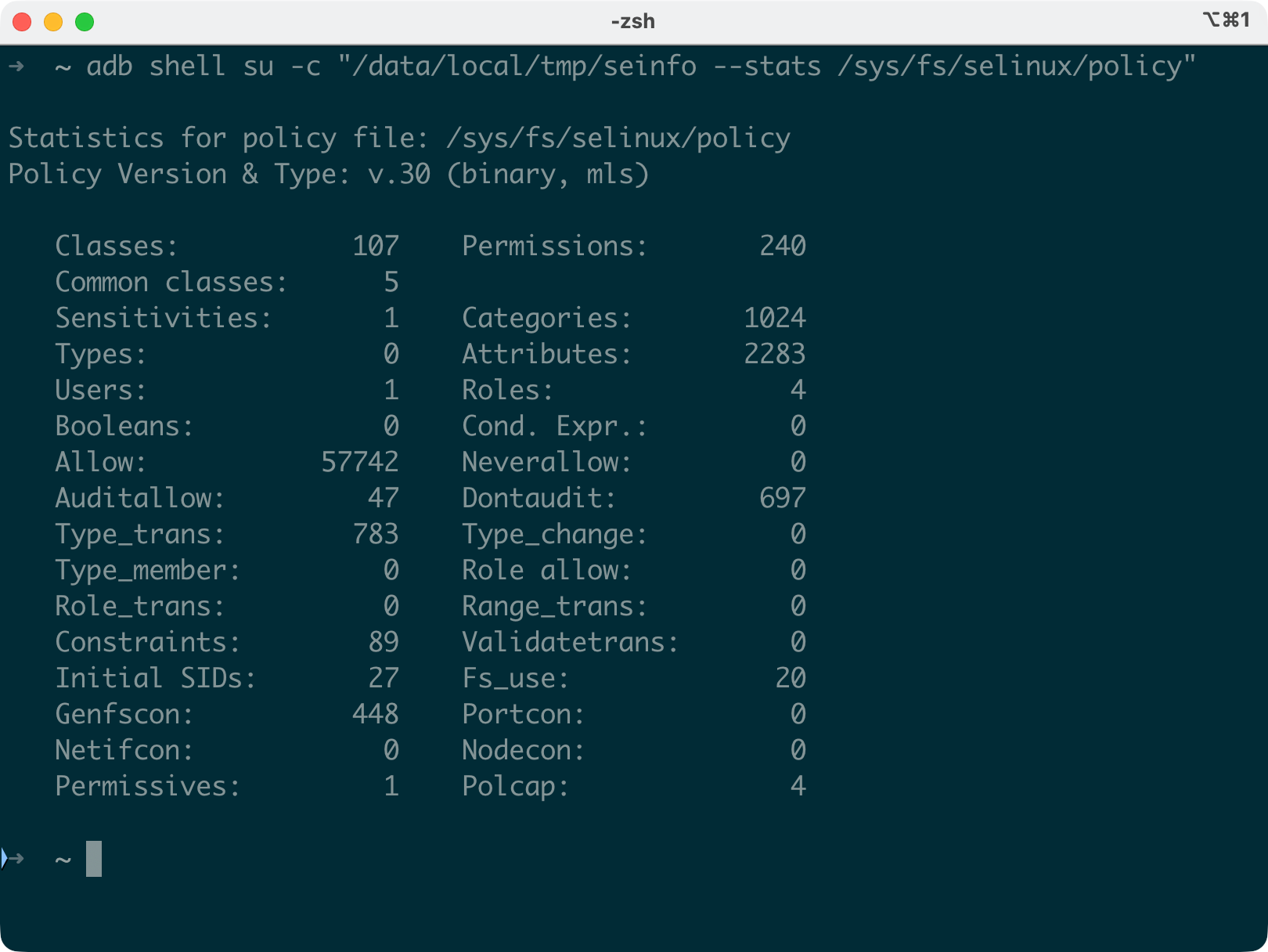

This gives you the complete, merged policy as actually enforced by the kernel, and not just the source fragments from AOSP.
Modern Policy Analysis Workflow
If you’re doing serious SELinux research on Android, here’s the workflow you could use for assessing a target device. All seinfo and sesearch commands below run on the device using the setools-android binaries (see Part I and Part II for setup instructions). The policy path /sys/fs/selinux/policy points to the live kernel policy.
Important: Reading /sys/fs/selinux/policy requires root, the shell SELinux domain doesn’t have access. All commands below use su -c on a rooted device through Magisk, KernelSU, or APatch. Note that root solutions like Magisk inject their own permissive domain and allow rules into the policy, so your rule counts will be higher than on a stock device.
Step 1: Gather Context Files and Check Status
# Pull context files to your host for offline review
$ adb pull /system/etc/selinux/ /tmp/plat_selinux/
$ adb pull /vendor/etc/selinux/ /tmp/vendor_selinux/
# Note: adb pull may skip some files with "skipping special file" warnings
# (e.g., plat_hwservice_contexts, plat_mac_permissions.xml).
# For those, use: adb shell su -c "cat /system/etc/selinux/<filename>" > /tmp/<filename>

# Check SELinux status
$ adb shell getenforce
Enforcing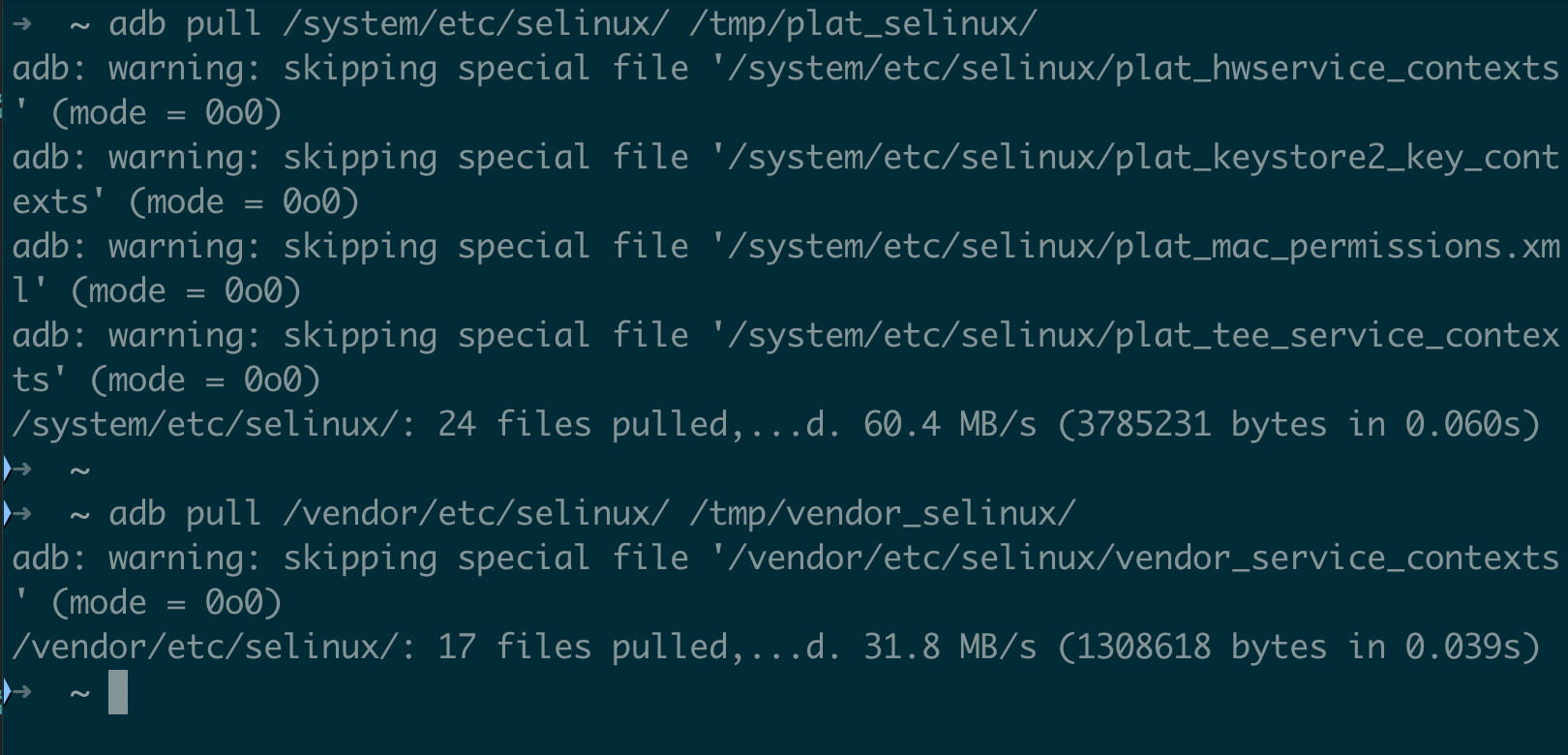
Step 2: Get Overview Stats
# All seinfo/sesearch commands require root:
$ adb shell su -c "/data/local/tmp/seinfo --stats /sys/fs/selinux/policy"
$ adb shell su -c "/data/local/tmp/seinfo -a /sys/fs/selinux/policy" | wc -l   # Total attributes
$ adb shell su -c "/data/local/tmp/seinfo --permissive /sys/fs/selinux/policy"  # Should be empty on production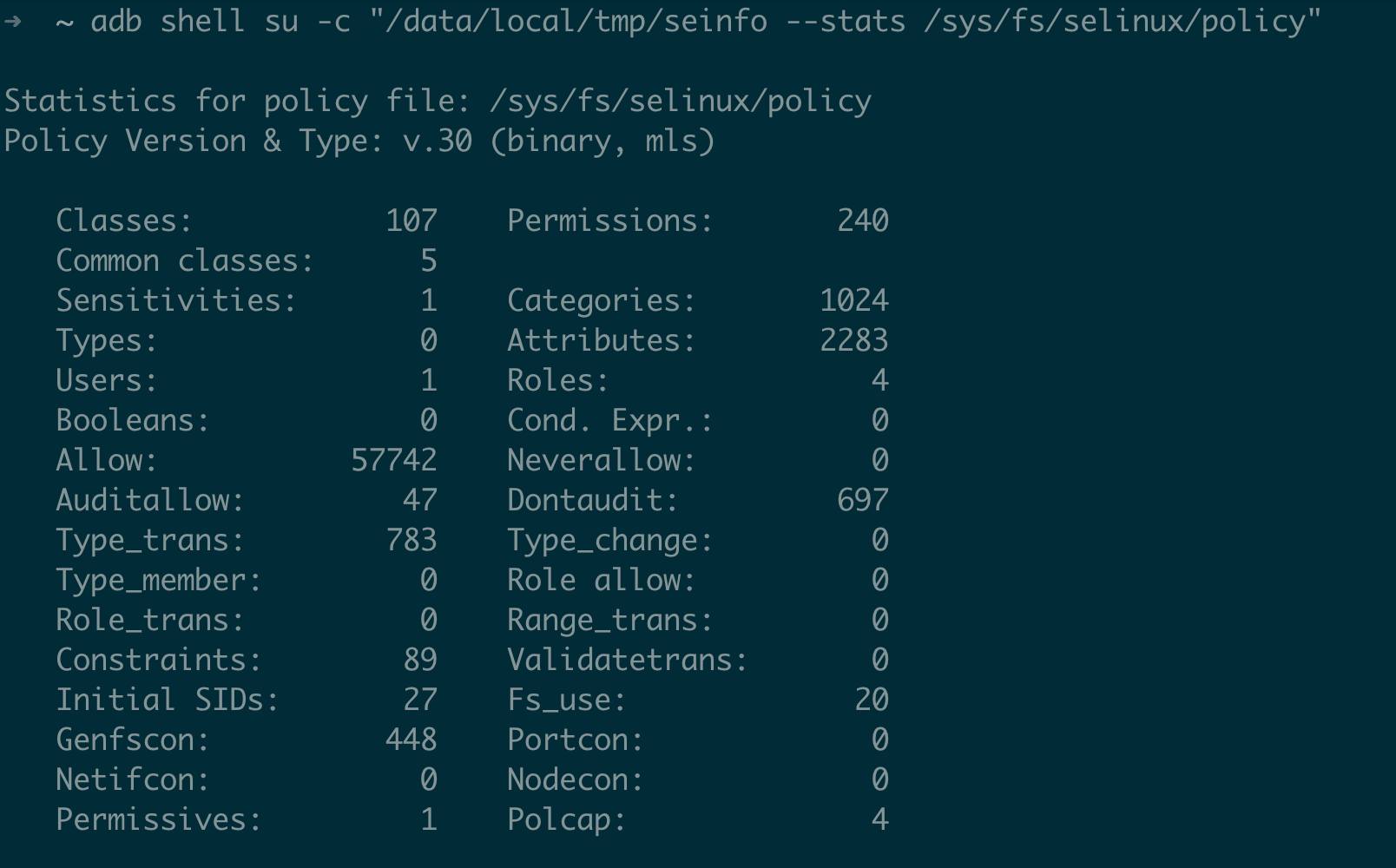


Step 3: Map Your Attack Surface
Identify what your starting domain can do:
# If you're starting from untrusted_app (app-based attack):
$ adb shell su -c "/data/local/tmp/sesearch -A -s untrusted_app /sys/fs/selinux/policy"

# What files can untrusted_app access?
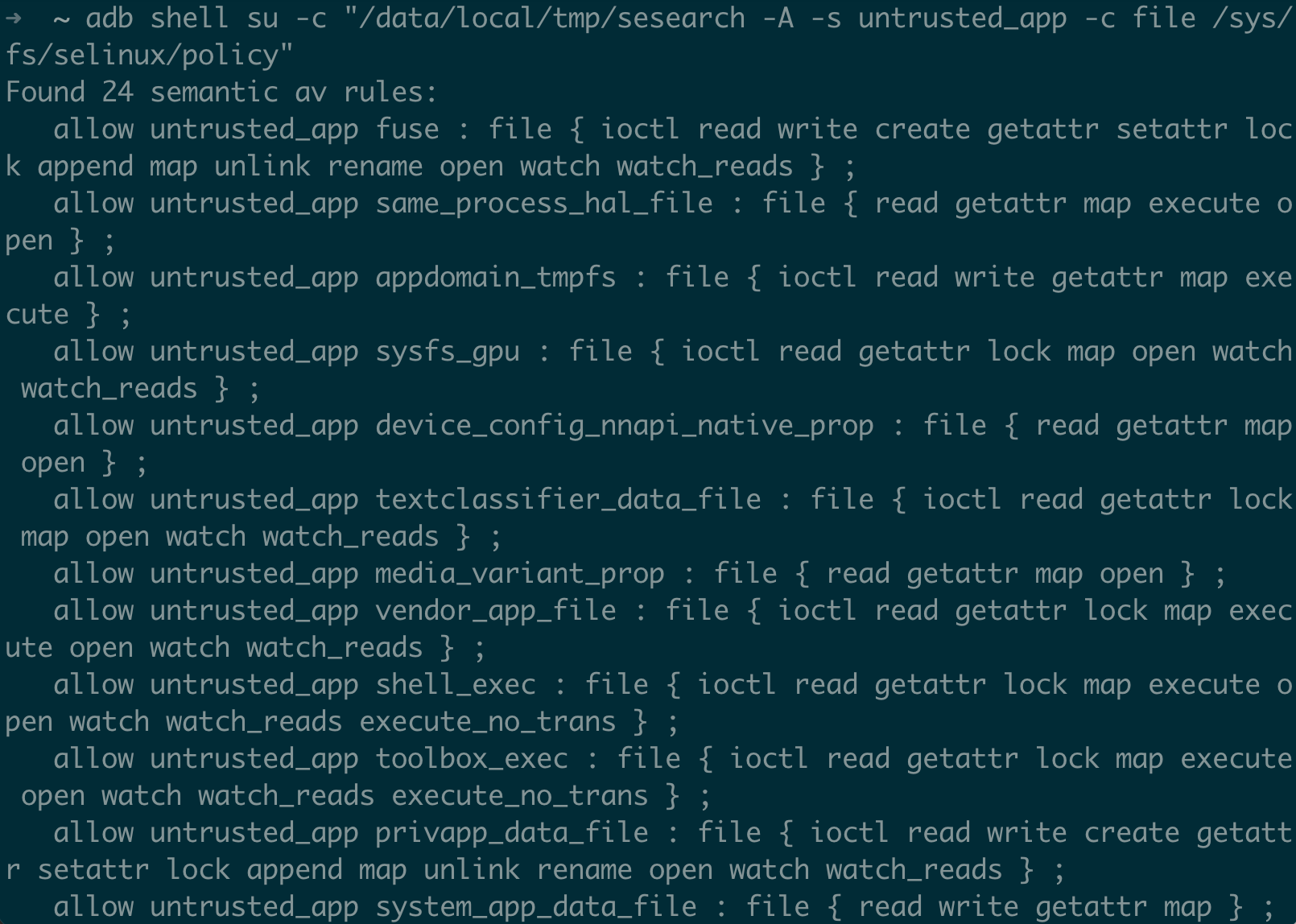
$ adb shell su -c "/data/local/tmp/sesearch -A -s untrusted_app -c file /sys/fs/selinux/policy"

# What devices can untrusted_app access?
$ adb shell su -c "/data/local/tmp/sesearch -A -s untrusted_app -c chr_file /sys/fs/selinux/policy"

# What processes can untrusted_app interact with?
$ adb shell su -c "/data/local/tmp/sesearch -A -s untrusted_app -c process /sys/fs/selinux/policy"

# What domains can untrusted_app transition to?
$ adb shell su -c "/data/local/tmp/sesearch -A -s untrusted_app -c process -p transition /sys/fs/selinux/policy"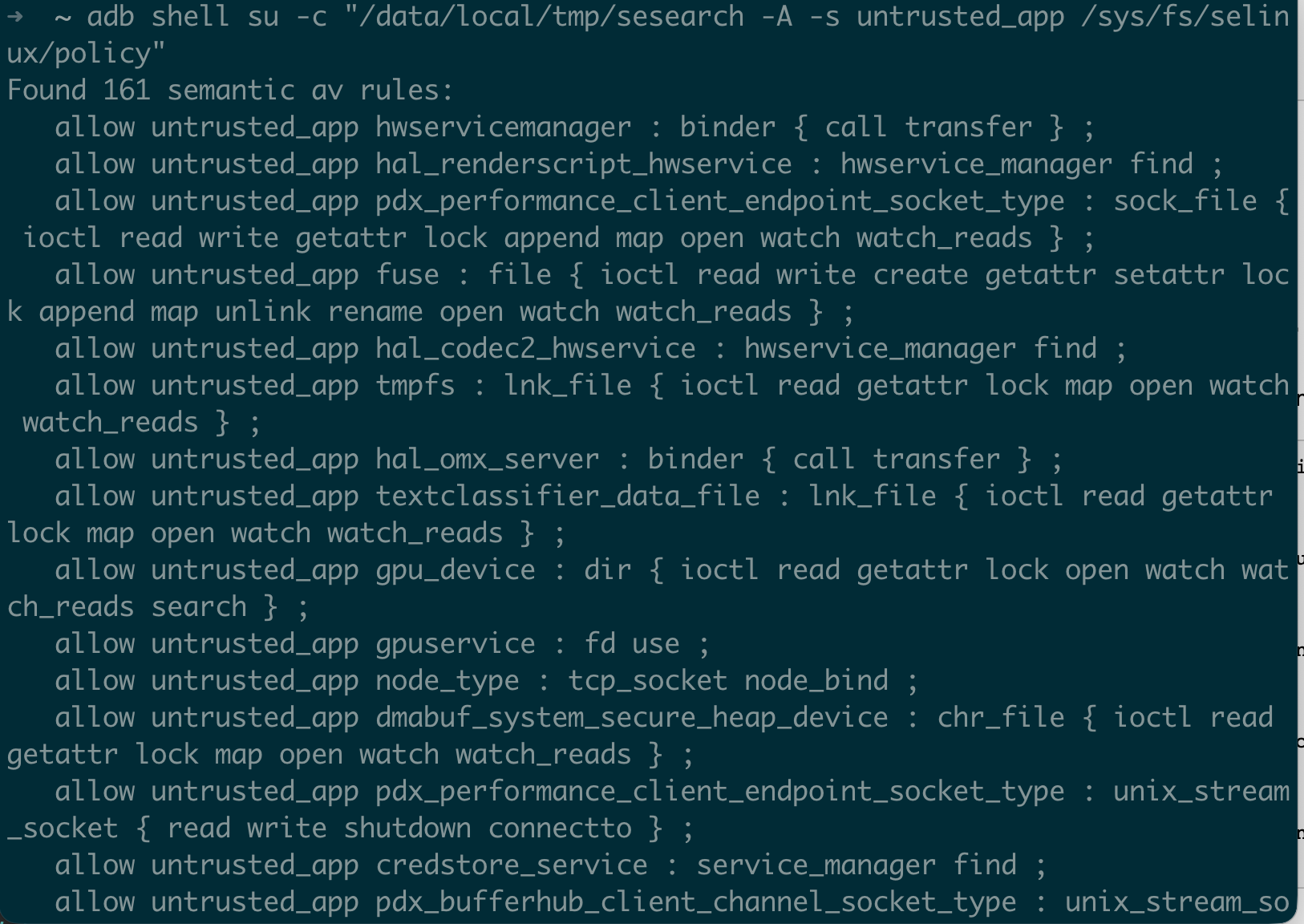
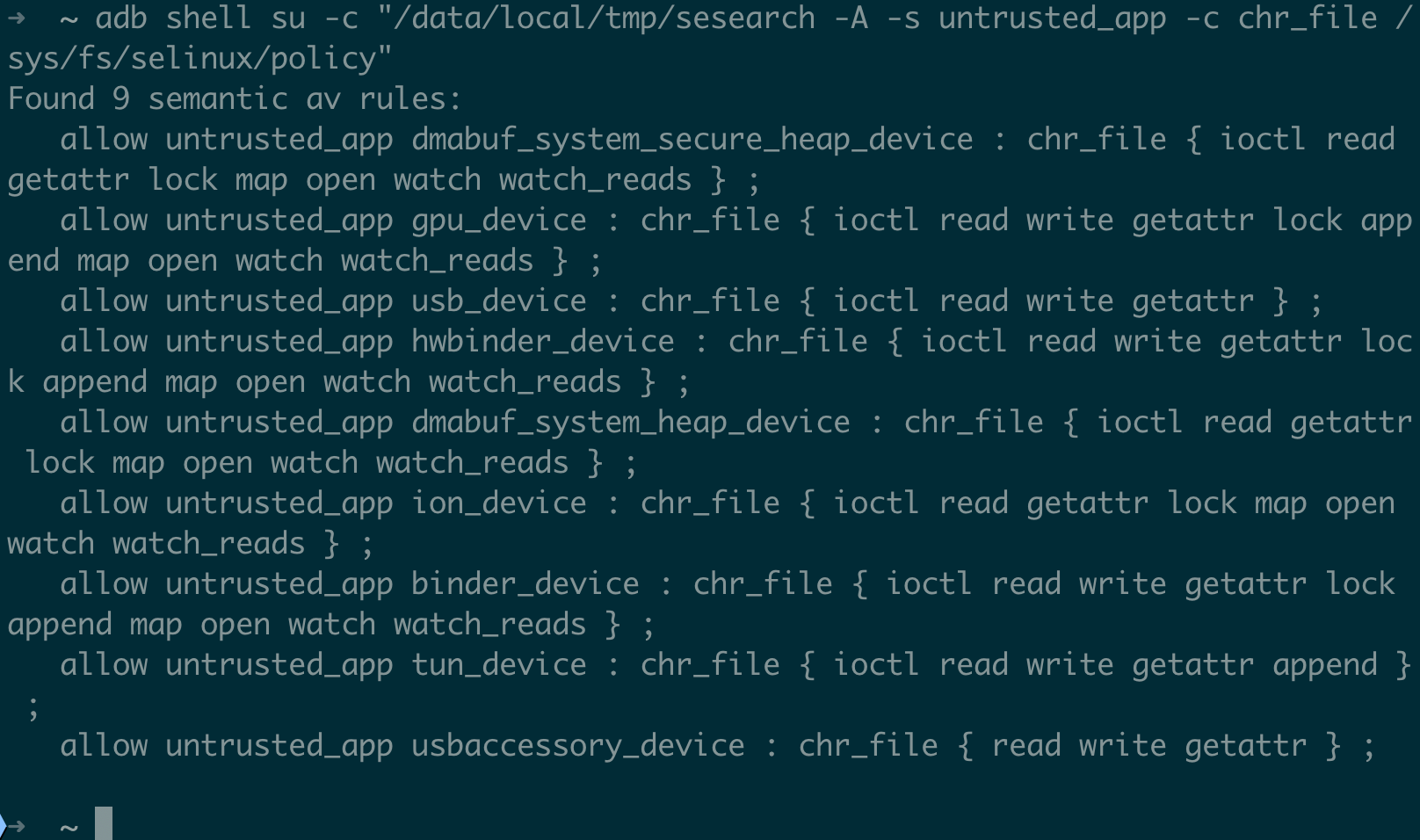

Step 4: Find Interesting Cross-Domain Permissions
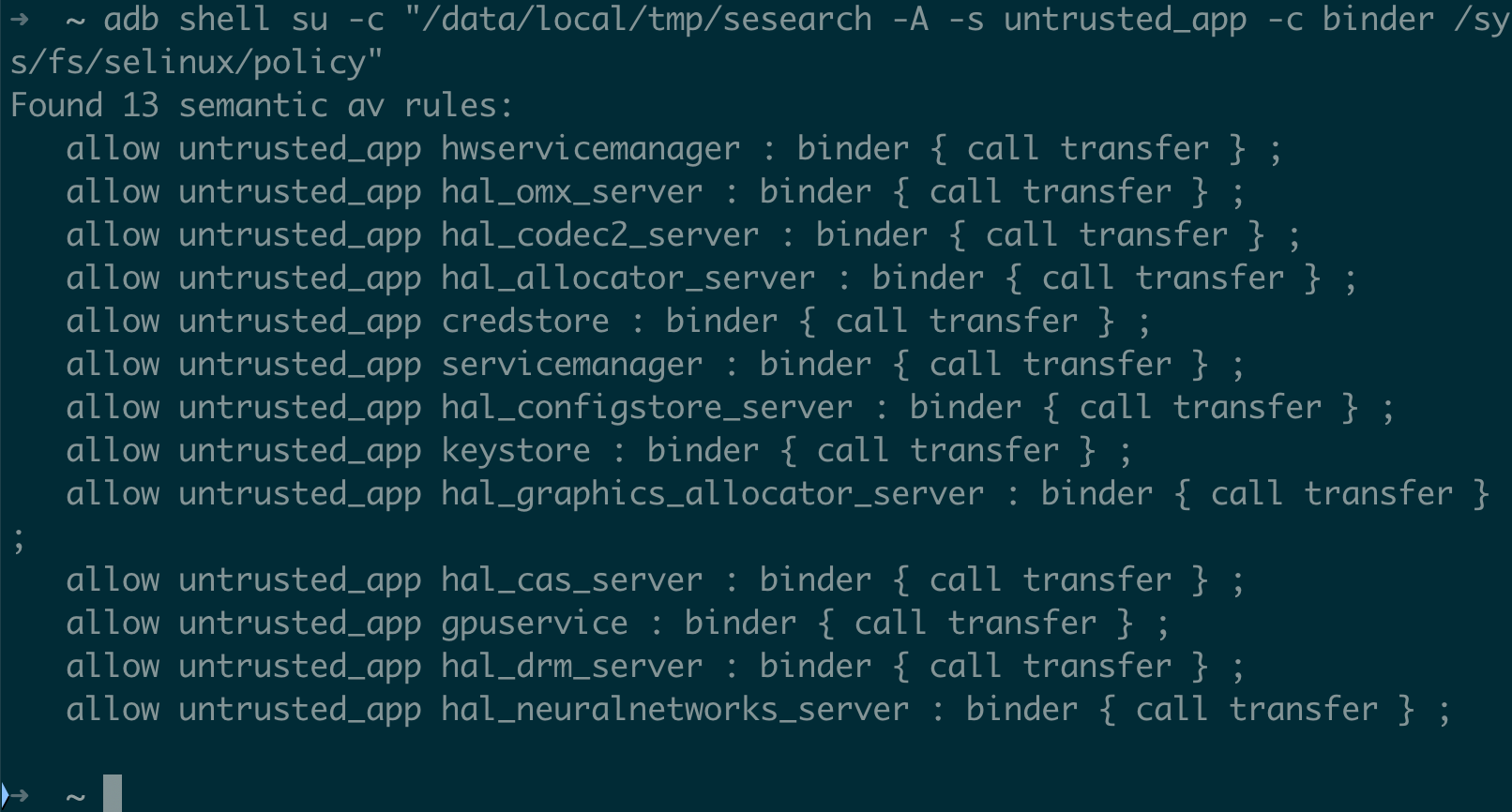
# Binder targets reachable from untrusted_app
$ adb shell su -c "/data/local/tmp/sesearch -A -s untrusted_app -c binder /sys/fs/selinux/policy"

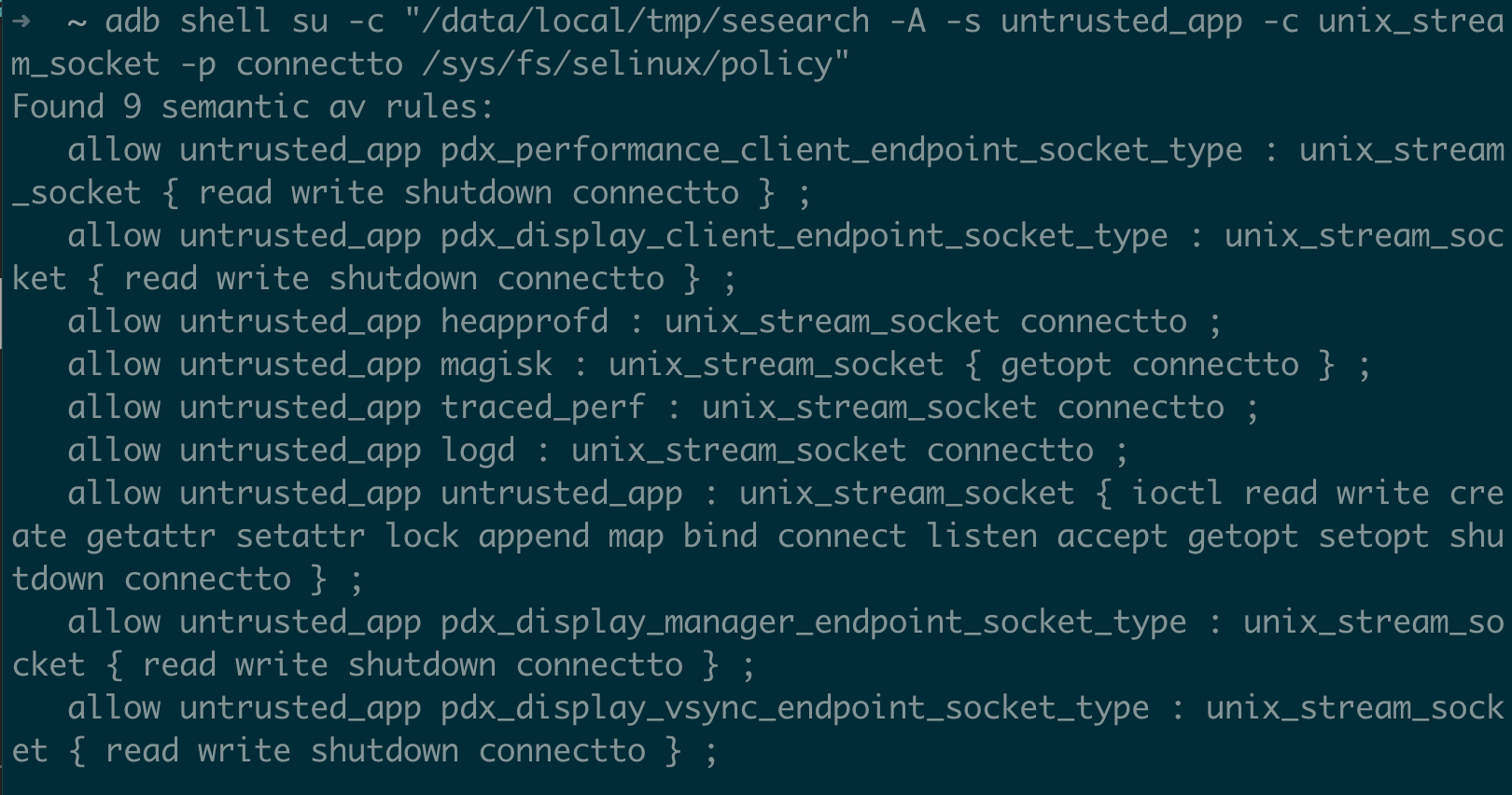
# Unix socket targets
$ adb shell su -c "/data/local/tmp/sesearch -A -s untrusted_app -c unix_stream_socket -p connectto /sys/fs/selinux/policy"

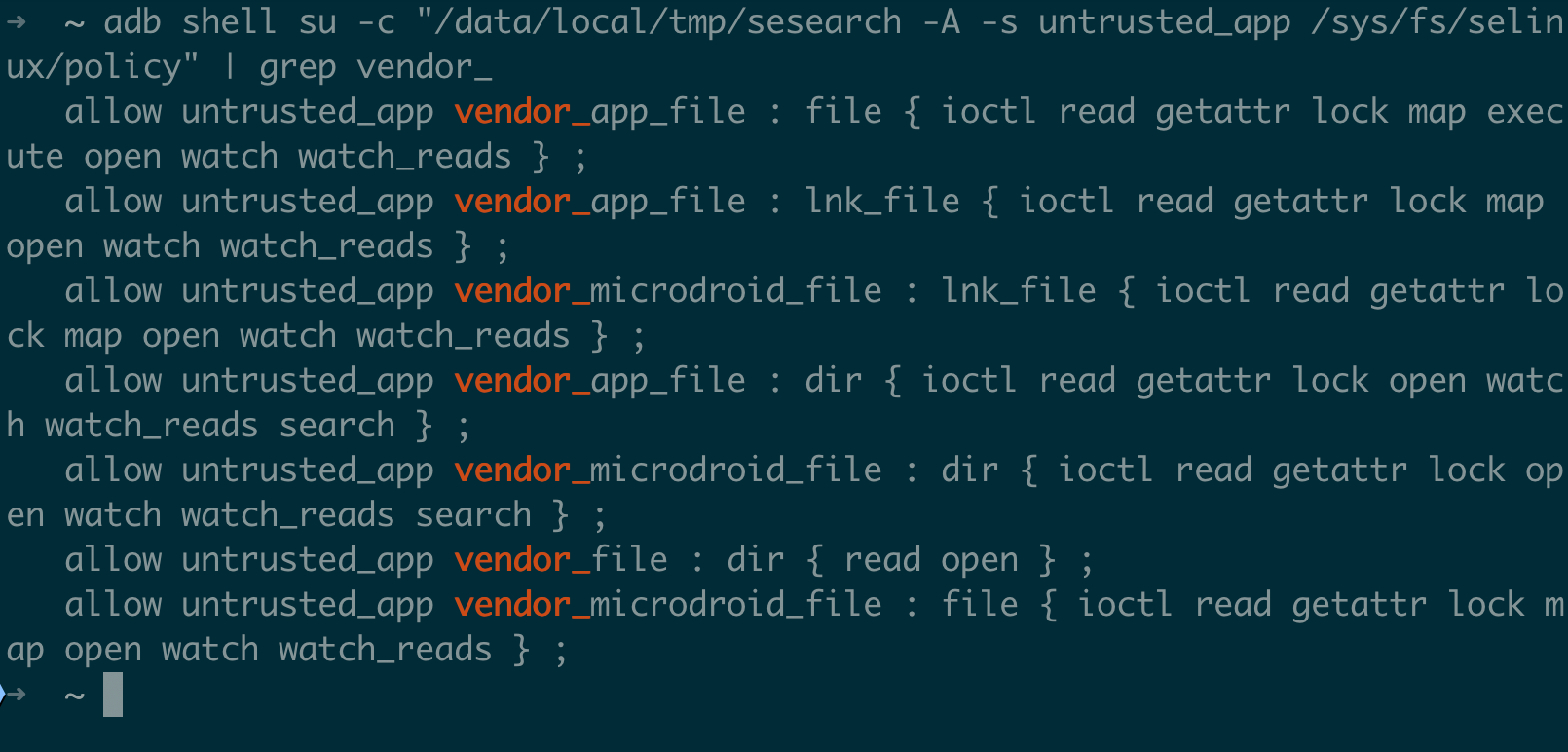
# Vendor types reachable from app context
$ adb shell su -c "/data/local/tmp/sesearch -A -s untrusted_app /sys/fs/selinux/policy" | grep vendor_
# Code execution from writable locations
$ adb shell su -c "/data/local/tmp/sesearch -A -c file -p execute /sys/fs/selinux/policy" | grep -E 'data_file|tmpfs'

# Domains with dangerous capabilities
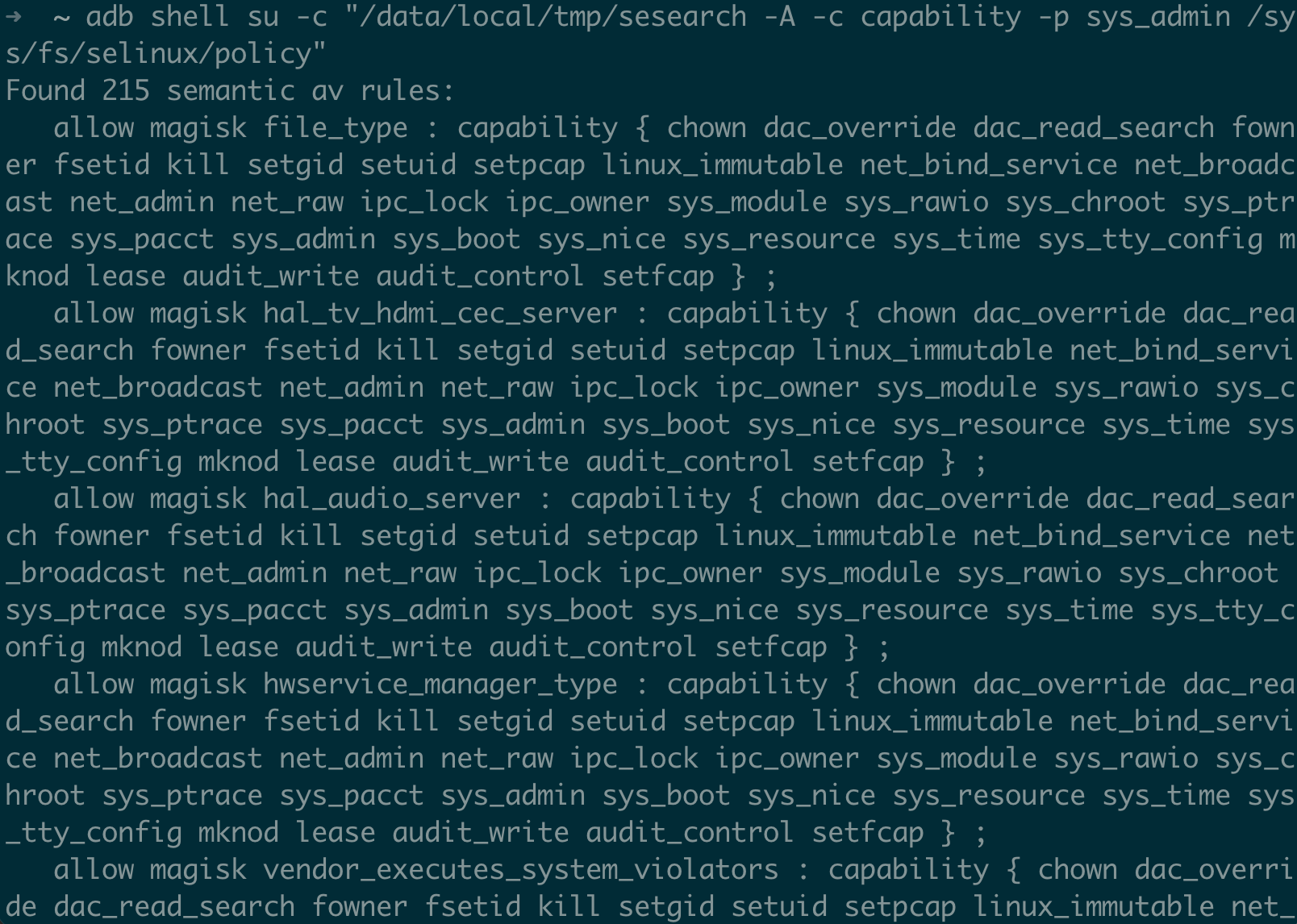
$ adb shell su -c "/data/local/tmp/sesearch -A -c capability -p sys_admin /sys/fs/selinux/policy"
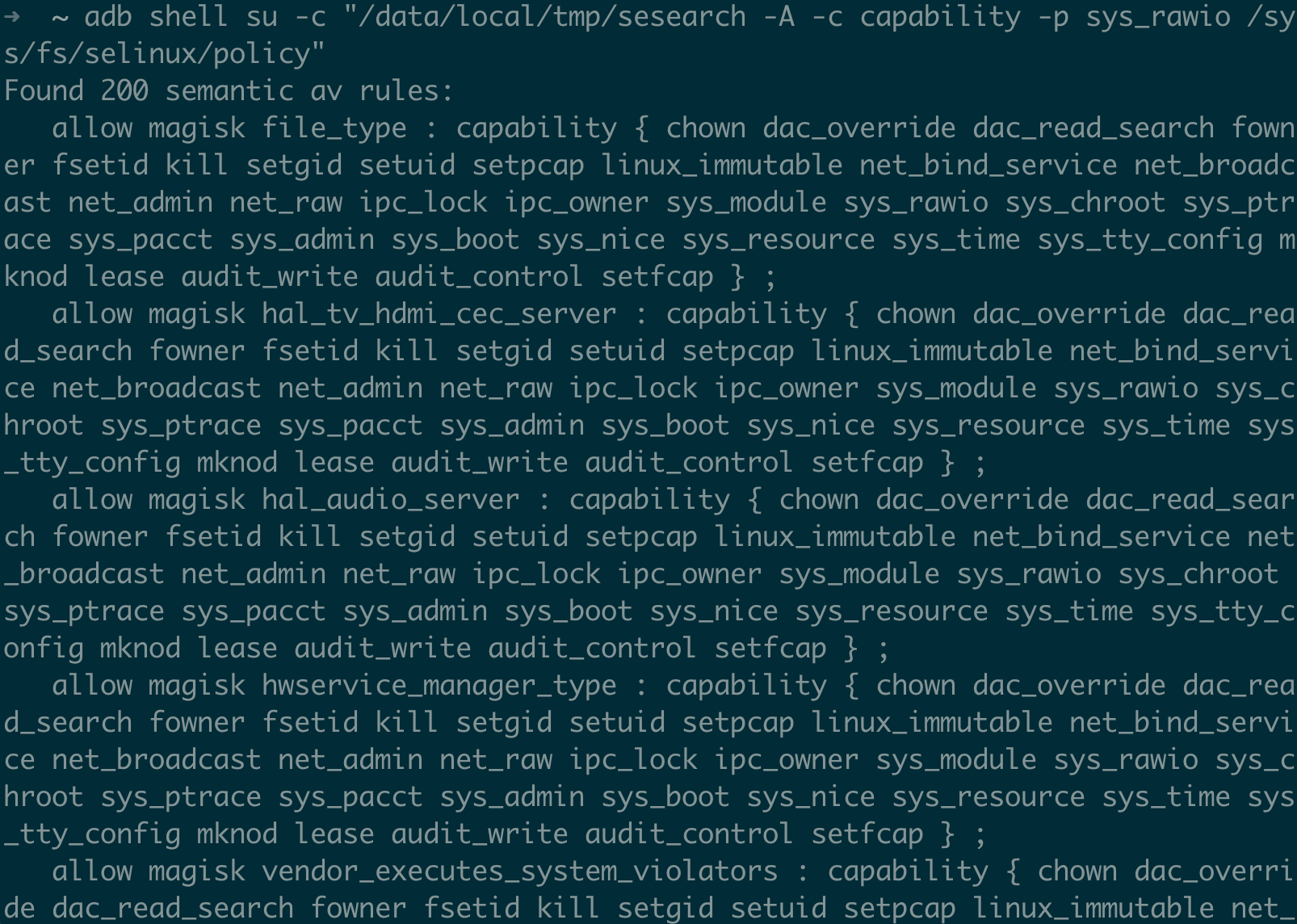
$ adb shell su -c "/data/local/tmp/sesearch -A -c capability -p sys_rawio /sys/fs/selinux/policy"
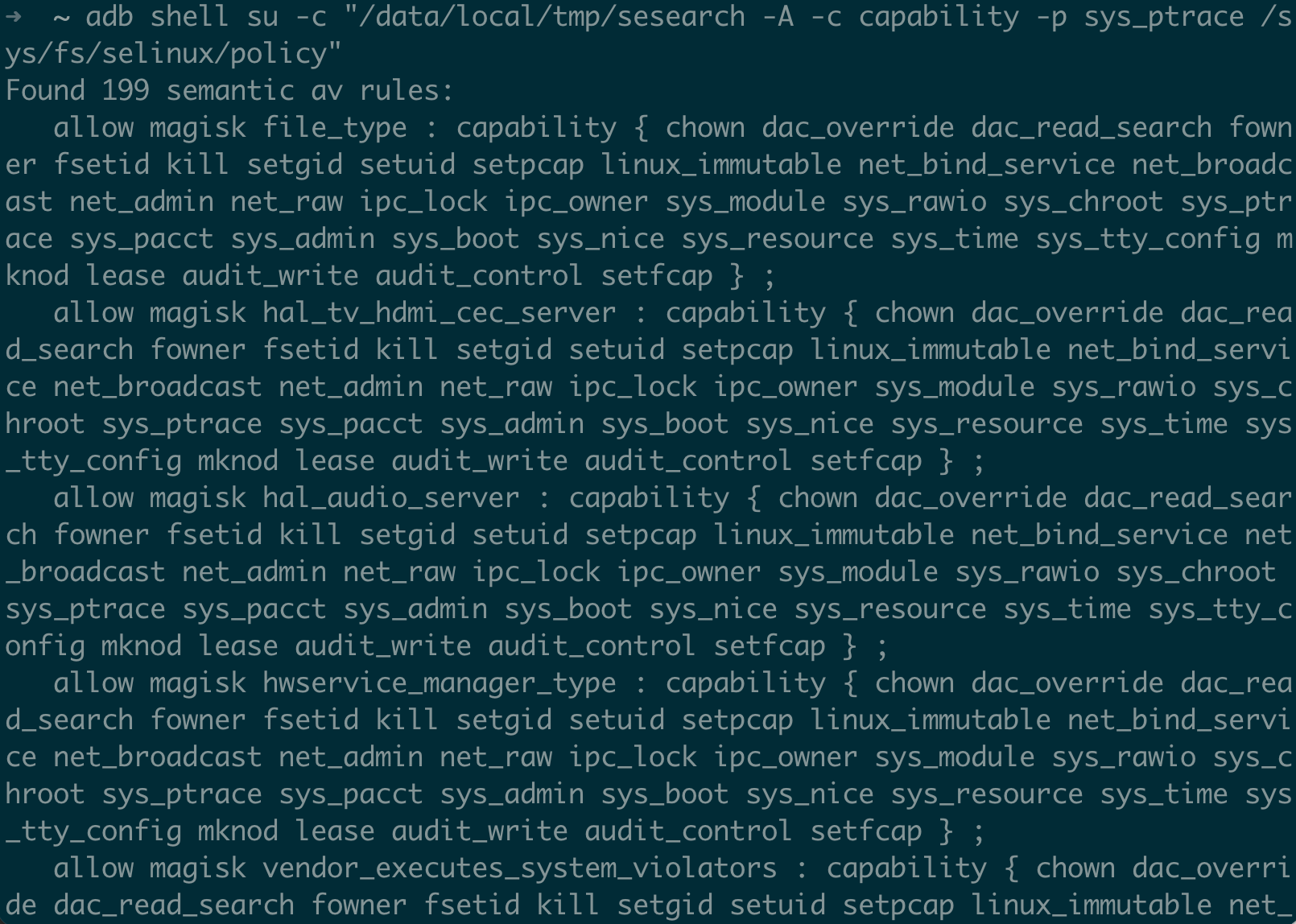
$ adb shell su -c "/data/local/tmp/sesearch -A -c capability -p sys_ptrace /sys/fs/selinux/policy"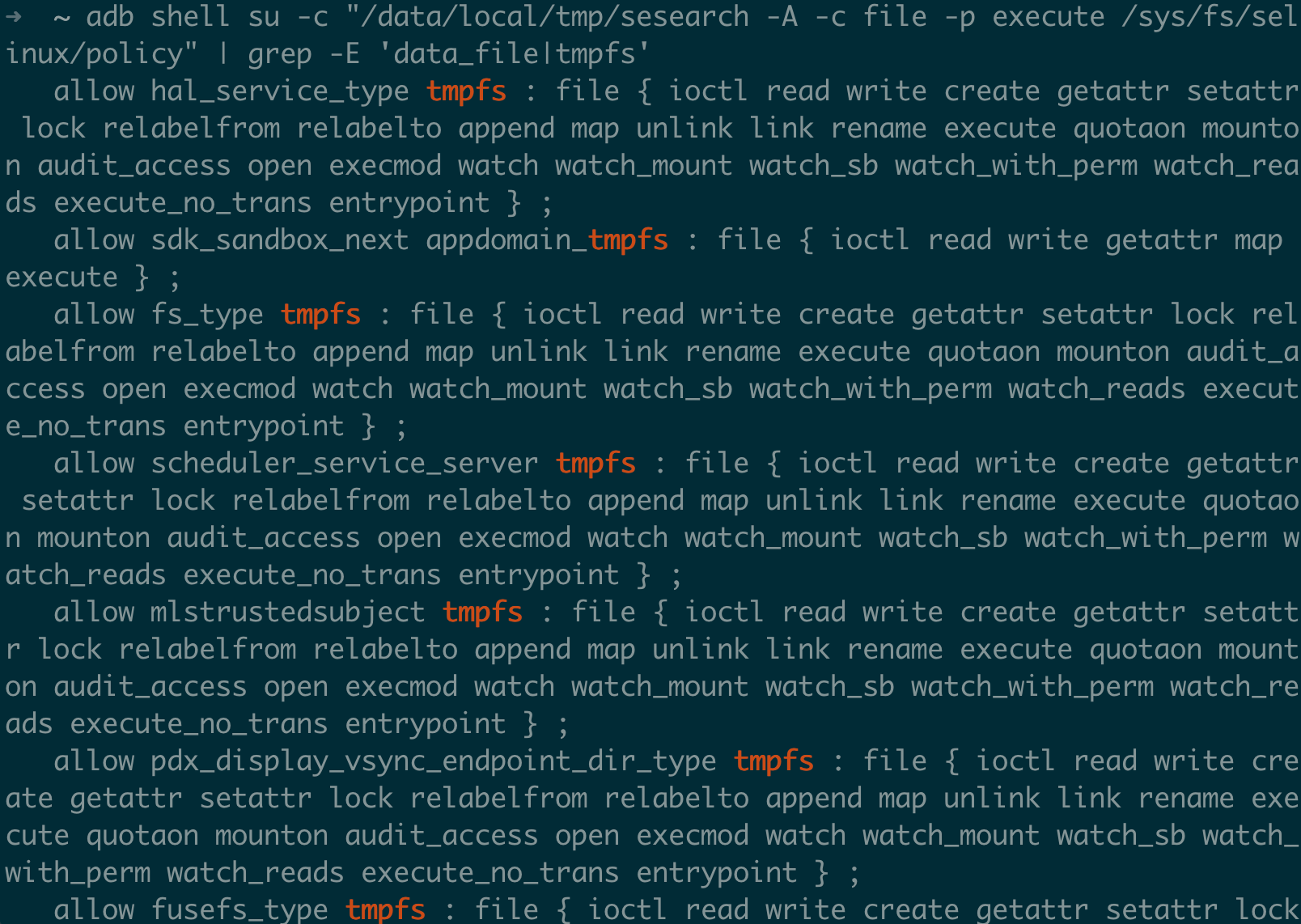
Step 5: Audit Vendor Policy Specifically
# Look for vendor domains that can access sensitive resources
$ adb shell su -c "/data/local/tmp/sesearch -A -t proc_mem /sys/fs/selinux/policy" | grep vendor_
$ adb shell su -c "/data/local/tmp/sesearch -A -t kmsg_device /sys/fs/selinux/policy" | grep vendor_
$ adb shell su -c "/data/local/tmp/sesearch -A -c capability -p sys_module /sys/fs/selinux/policy" | grep vendor_
Modern Kernel Mitigations Affecting SELinux Bypass Techniques
Beyond the vendor-specific hypervisor protections we covered in Part III, the Android GKI kernel itself ships with a growing stack of exploit mitigations that directly impact the feasibility and reliability of the bypass methods. On an Android 16 emulator (kernel 6.6.66-android15-8 - the “android15” in the branch name refers to the GKI kernel generation, not the Android OS version), we can see exactly what’s enabled:
$ adb shell zcat /proc/config.gz | grep -E "CONFIG_CFI_CLANG|CONFIG_ARM64_PTR_AUTH|CONFIG_ARM64_MTE|CONFIG_SHADOW_CALL"
CONFIG_CFI_CLANG=y
CONFIG_ARM64_PTR_AUTH=y
CONFIG_ARM64_PTR_AUTH_KERNEL=y
CONFIG_ARM64_MTE=y
CONFIG_SHADOW_CALL_STACK=y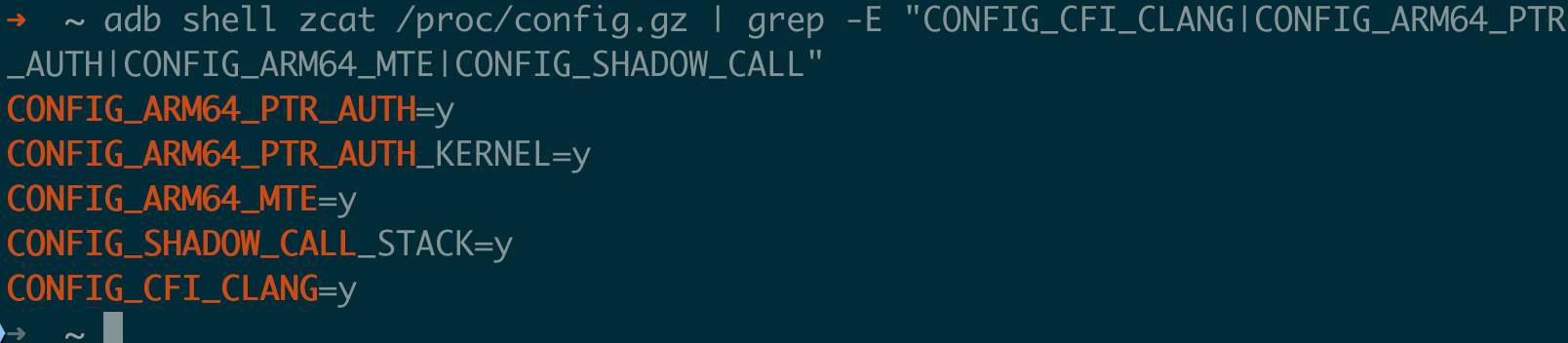
Each of these makes life harder for exploit developers trying to reach the SELinux bypass stage. Let’s look at what they actually do.
kCFI (Kernel Control Flow Integrity)
CONFIG_CFI_CLANG has been available in the Android common kernel since 4.14 (Android 9), and has been enabled in GKI since its introduction with kernel 5.10 (Android 12). It was upgraded to the more robust kCFI implementation in GKI 6.1 (Android 14+).
Before every indirect function call in the kernel, the compiler inserts a check that validates the target function’s type signature. A 32-bit type hash is stored immediately before each function’s entry point via the __CFI_TYPE macro. At call sites, the hash is checked against the expected type.
To illustrate, consider the LSM hook dispatch in security/security.c. The call_int_hook macro iterates the hook list and calls P->hook.file_open(file) for each registered LSM. With kCFI enabled, the compiler wraps that indirect call with a type check — here’s a simplified pseudocode view of what the compiler inserts:
// Without kCFI — the indirect call in call_int_hook:
P->hook.file_open(file);  // Calls whatever address is in the function pointer

// With kCFI — compiler-inserted check before the same call:
// (see include/linux/cfi_types.h for the __CFI_TYPE / __kcfi_typeid mechanism)
u32 expected_hash = __kcfi_typeid_for_file_open;
u32 actual_hash = *(u32 *)((uintptr_t)P->hook.file_open - 4);
if (actual_hash != expected_hash)
    // Triggers BRK instruction → cfi_handler() in arch/arm64/kernel/traps.c
    // → report_cfi_failure() in kernel/cfi.c → die("Oops - CFI")
    __cfi_check_fail();  // Kernel panic (CONFIG_CFI_PERMISSIVE is not set)
P->hook.file_open(file);
How does this affect SELinux bypass you ask? Well.. Method 6 (hook removal) is not affected! Removing a hook from the linked list doesn’t involve indirect calls, the hook just isn’t called anymore. But Method 6 via hook replacement is blocked since replacing a hook’s function pointer with a no-op or attacker function fails the type hash check. And ROP/JOP chains for building kernel R/W get significantly harder because kCFI breaks most gadget chains that rely on indirect calls.
On Android 16 with GKI 6.6, kCFI is in non-permissive mode (CONFIG_CFI_PERMISSIVE is not set), meaning a violation causes a kernel panic, and not just a log message. Trial-and-error exploitation is now a crash-and-reboot game.
PAC (Pointer Authentication Codes)
Available since GKI 5.15 (Android 13) for kernel pointers (CONFIG_ARM64_PTR_AUTH_KERNEL=y). Requires ARMv8.3-A hardware (Cortex-A76+, found in Snapdragon 855+, Exynos 990+, Tensor G1+).
PAC uses the unused upper bits of 64-bit pointers to store a cryptographic authentication code. The PAC is computed from the pointer value, a context value for example the stack pointer, and a per-process secret key. Before a pointer is dereferenced, the PAC is verified — corrupt a PAC-protected pointer, and you get a fault.
For SELinux bypass, what matters is that every function’s return address on the stack is now PAC-signed, so stack-based ROP chains which are the classic way to build kernel R/W primitives, must now either forge valid PACs which requires knowing the secret key, or use non-return-based techniques like JOP/COP. Some kernel function pointers including those in security_hook_list may also be PAC-protected, adding yet another layer on top of kCFI. And the initial step of building a kernel R/W primitive from a memory corruption bug becomes harder because corrupted pointers fail PAC verification.
PAC isn’t a complete defense since the keys are stored in system registers accessible to kernel code, and once you have kernel code execution and are not just R/W, you can read the keys. But it raises the bar significantly for that initial primitive construction.
One thing to note here is that the Android 16 emulator supports PAC (CONFIG_ARM64_PTR_AUTH_KERNEL=y), but QEMU’s PAC emulation may behave differently from real hardware. Test PAC-related exploitation on physical devices with ARMv8.3+ cores.
MTE (Memory Tagging Extension)
CONFIG_ARM64_MTE=y has been available since GKI 5.10 (Android 12). Kernel heap tagging via CONFIG_KASAN_HW_TAGS=y on supported hardware. Requires ARMv8.5-A / ARMv9 hardware (Cortex-A510/A710/X2+, found in Tensor G3+, Snapdragon 8 Gen 1+).
Every 16-byte granule of memory gets a 4-bit tag stored in dedicated tag memory. Every pointer also carries a 4-bit tag in its upper bits. On memory access, the pointer’s tag is compared against the memory’s tag. Mismatch = fault.
For kernel exploitation, this is devastating to use-after-free and heap overflow bugs. The tagging is handled by the KASAN subsystem: __kasan_slab_alloc() assigns a random tag via assign_tag() on allocation, and ____kasan_slab_free() poisons the memory on free. Here’s a simplified pseudocode view of the effect:
// Without MTE:
object = kmalloc(64);     // Allocate object
kfree(object);            // Free it
// object pointer still works — UAF possible
victim = kmalloc(64);     // May reuse same memory
object->field = 0x41414141;  // Corrupts victim — no detection

// With MTE (CONFIG_KASAN_HW_TAGS=y):
// (see mm/kasan/common.c: __kasan_slab_alloc → assign_tag → kasan_random_tag)
object = kmalloc(64);     // Tag = 0x5, pointer = 0x0500...
kfree(object);            // ____kasan_slab_free poisons memory, re-tagged to 0xA
// object pointer still has tag 0x5
object->field = 0x41414141;  // Tag mismatch: pointer=0x5, memory=0xA → FAULT
The six bypass methods from Part III operate after kernel R/W is established, so MTE doesn’t directly affect them. But it makes getting to that stage much harder. UAF-based exploits such as CVE-2019-2215, CVE-2021-25370, and CVE-2024-44068 represent one of the most common bug classes for achieving arbitrary kernel read/write. These exploits become unreliable or impossible when MTE detects the underlying use-after-free access. Cross-cache attacks are partially affected too: when a page transitions between slab caches, the tags may or may not be reset depending on the allocator implementation (current CONFIG_KASAN_HW_TAGS re-tags on allocation). Heap spraying for AVC cache node targeting (Method 3) still works fine though, because you’re making legitimate allocations, not exploiting freed memory.
Where things stand on Android 16: the emulator has CONFIG_ARM64_MTE=y and CONFIG_KASAN_HW_TAGS=y enabled. On physical devices, Pixel 8+ supports MTE in hardware, and Google has enabled it for select kernel allocations. But MTE is still being progressively rolled out — as of 2025, it’s not applied to all kernel slab caches, meaning many UAF bugs are still exploitable on MTE-capable hardware.
SCS (Shadow Call Stack)
This is the oldest of these mitigations, and been around since the Android common kernel 4.14 (Android 10, predating GKI), CONFIG_SHADOW_CALL_STACK=y.
SCS maintains a separate “shadow” stack pointed to by the x18 register on ARM64 that contains only return addresses. When a function returns, the return address is taken from the shadow stack instead of the main stack. A stack buffer overflow that corrupts the main stack’s return address has no effect because the shadow stack is separate and not addressable through the overflowed buffer.
The result we could sort of conclude that stack-based ROP chains are dead. Combined with kCFI which protects indirect calls, and PAC which signs return addresses, you’ve got three overlapping defenses against control flow hijacking.
How They Stack Up Together
Here’s how all of these layer against the exploitation stages you need to get through to reach an SELinux bypass:
| Exploitation Stage | kCFI | PAC | MTE | SCS |
|---|---|---|---|---|
| Triggering memory corruption | — | — | Detects UAF/overflow | — |
| Building kernel R/W primitive | Blocks indirect call gadgets | Blocks ROP chains | Detects UAF reuse | Blocks stack ROP |
| Locating SELinux structures | — | — | — | — |
| Performing the SELinux bypass write | — | — | — | — |
Notice the gap here! All four mitigations target the exploit primitive construction phase (stages 1-2), not the SELinux bypass phase (stages 3-4). Once an attacker has a stable kernel R/W primitive, none of these stop them from overwriting SELinux structures. This is exactly why hypervisor-based protections (RKP, HKIP, pKVM) that protect the SELinux data structures themselves matter, and they’re the last line of defense after everything above has been defeated.
Android 16 SELinux Changes
Android 16 with API level 36, and kernel 6.6 GKI brings some SELinux changes worth knowing about. I verified all of this on an Android 16 emulator.
New seapp_contexts Selectors and Domains
Android 16 adds three new entries to plat_seapp_contexts that weren’t in Android 15:
# SDK Sandbox — existing production sandbox (Android 14+)
user=_sdksandbox domain=sdk_sandbox_34 type=sdk_sandbox_data_file levelFrom=all

# New in Android 16: fine-grained sandbox domains
user=_sdksandbox isSdkSandboxNext=true domain=sdk_sandbox_next type=sdk_sandbox_data_file levelFrom=all
user=_sdksandbox isSdkSandboxAudit=true domain=sdk_sandbox_audit type=sdk_sandbox_data_file levelFrom=all

# New in Android 16: virtualization terminal app
user=_app isPrivApp=true name=com.android.virtualization.terminal domain=vmlauncher_app type=privapp_data_file levelFrom=all
sdk_sandbox_next and sdk_sandbox_audit: Android’s Privacy Sandbox for ads SDK isolation now has three distinct SELinux domains:
sdk_sandbox_34: the production sandbox for SDK Runtimesdk_sandbox_next: a forward-looking sandbox with a different rule set, used for testing next-version policies. It doesn’t inherit fromsdk_sandbox_currentand instead defines its own explicit allow rulessdk_sandbox_audit: an enforcing sandbox with the same rules assdk_sandbox_34, plusauditallowrules that log when certain accesses are granted. Google uses this telemetry to decide which permissions to remove in futuresdk_sandbox_nextversions
From an exploit perspective, the interesting thing here is the auditallow data as it reveals which accesses Google is considering restricting, which tells you what the current sandbox can do that it probably shouldn’t. These are the permissions most likely to disappear in future releases, so exploits relying on them have a shorter shelf life.
vmlauncher_app: This domain runs the terminal application for Android’s virtualization features (Microdroid/pKVM). It has elevated permissions to manage virtual machines:
# The vmlauncher_app domain can:
# - Communicate with the virtualization service via binder
# - Access VM-related device nodes
# - Manage VM lifecycle (start, stop, connect)
# This creates a new attack surface — compromising vmlauncher_app
# could allow an attacker to launch or manipulate VMs
Genfs Labels Versioning
Android 16 introduces a genfscon versioning mechanism using BOARD_GENFS_LABELS_VERSION:
# On Android 16 emulator:
$ adb shell cat /vendor/etc/selinux/genfs_labels_version.txt
202504

# Two genfs CIL files exist — current and next:
$ adb shell ls /system/etc/selinux/plat_sepolicy_genfs_*
plat_sepolicy_genfs_202504.cil
plat_sepolicy_genfs_202604.cil
This lets the platform introduce new genfscon labels (for /proc, /sys, etc.) in the 202604 file while keeping backward compatibility with older vendor partitions that expect the 202504 label set. For exploit development, this means:
- Different vendor partition versions on the same device may have different labels for the same
/procor/syspaths - An exploit that accesses, say,
/sys/class/udcneeds to account for the label potentially beingsysfs_udcor a versioned variant - The genfs version file (
genfs_labels_version.txt) on the vendor partition tells you which label set is active
Policy Version and Mapping Evolution
The Android 16 GKI 6.6 kernel supports up to SELinux policy version 33 (the policy language version, not the Android version). The platform sepolicy version identifier is 202504:
# Maximum policy version supported by the kernel (not the loaded policy's version):
$ adb shell cat /sys/fs/selinux/policyvers
33

$ adb shell cat /vendor/etc/selinux/plat_sepolicy_vers.txt
202504

# Mapping files span from Android 10 (29.0) to Android 16 (202504):
$ adb shell ls /system/etc/selinux/mapping/
29.0.cil        30.0.cil        31.0.cil        32.0.cil
33.0.cil        34.0.cil        202404.cil      202504.cil
29.0.compat.cil 30.0.compat.cil 31.0.compat.cil 32.0.compat.cil
33.0.compat.cil 34.0.compat.cil 202404.compat.cil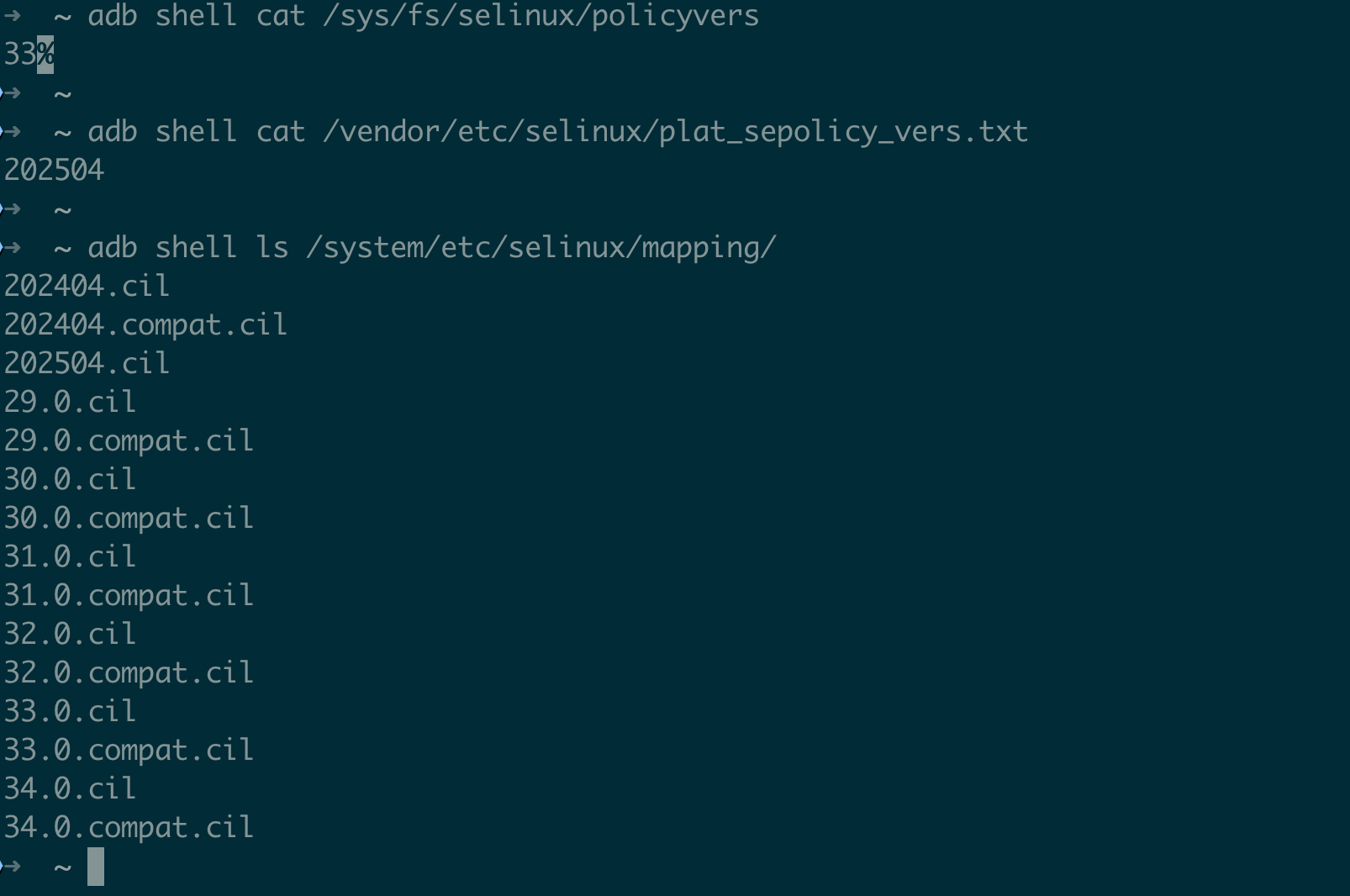
Note the naming transition: Android 10–14 used 29.0 through 34.0 (matching the API level), while Android 15 switched to 202404 (year-month format), and Android 16 continues with 202504. This reflects the move toward quarterly platform releases rather than annual ones.
The mapping CIL files create versioned type attributes so vendor policies compiled for older Android versions continue to work:
;; From mapping/202504.cil:
(typeattributeset sysfs_gpu_202504 (sysfs_gpu))
(expandtypeattribute (sysfs_gpu_202504) true)
(typeattribute sysfs_gpu_202504)

;; A vendor rule from Android 15 referencing sysfs_gpu_34_0
;; still works because mapping/34.0.cil maps it to the current type
SELinux Denial Metadata (Bug Map)
Android 16 includes denial metadata files that map known AVC denials to internal bug tracker entries. There are two: selinux_denial_metadata on the vendor partition and bug_map on the system partition:
# Vendor-side — typically just one entry on AOSP emulator:
$ adb shell cat /vendor/etc/selinux/selinux_denial_metadata
init vendor_toolbox_exec file b/183668221

# System-side — significantly more entries:
$ adb shell cat /system/etc/selinux/bug_map | head -5
crash_dump keystore process b/376065666
dnsmasq netd fifo_file b/77868789
dnsmasq netd unix_stream_socket b/77868789
gmscore_app system_data_file dir b/146166941
gmscore_app kernel security b/303319090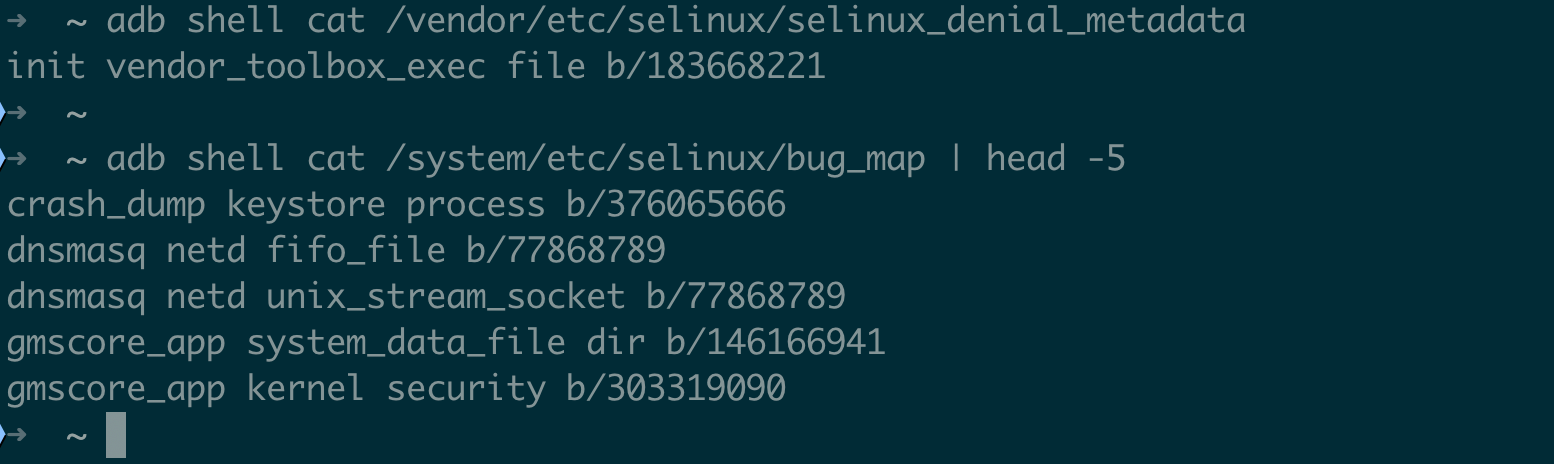
On GMS builds (Pixel, etc.) and vendor devices, both files are typically larger.
Each line maps a (source_domain, target_type, target_class) tuple to a bug ID. This tells you which denials Google considers “known issues” versus actual security violations. For exploit development, these known-but-unfixed denials can point you to areas where the policy is intentionally relaxed or where interesting edge cases exist.
Kernel 6.6 SELinux Structural Changes
The Android 16 GKI kernel (6.6.66) still has selinux_state as a global BSS symbol:
$ adb shell cat /proc/kallsyms | grep selinux_state
0000000000000000 B selinux_state
A few things worth noting about the kernel 6.6 layout:
1. selinux_state is still a global
Unlike upstream Linux 6.4+ where selinux_state was refactored, Android’s GKI 6.6 fork maintains the global selinux_state struct. This means Method 1 (overwriting the enforcing flag) targets the same structure.
2. selinux_enforcing no longer exists as a standalone symbol
Instead, enforcing is a field within selinux_state. Only selinux_enforcing_boot exists as a separate local symbol:
$ adb shell cat /proc/kallsyms | grep selinux_enforcing
0000000000000000 d selinux_enforcing_boot
# Note: 'd' = local data symbol (not globally accessible)
3. AVC cache dimensions
The AVC cache on Android 16 uses 512 hash buckets which is unchanged from earlier versions:
$ adb shell cat /sys/fs/selinux/avc/hash_stats
entries: 498
buckets used: 247/512
longest chain: 8
These values are dynamic and change as the system runs as new access checks populate the cache, LRU eviction removes old entries. At this snapshot, 498 active entries across 247 buckets with a longest chain of 8 means Method 3 (AVC cache overwriting) needs to walk chains of up to 8 nodes to find the target entry.
4. /proc/kallsyms shows all zeros
On the emulator, all addresses are zeroed out which is standard for production-like builds. On a real exploit, the attacker needs a separate KASLR bypass to locate kernel symbols.
Android 16 Kernel Mitigation Summary
Here’s the complete security configuration from the Android 16 emulator kernel, showing what an exploit must contend with:
$ adb shell zcat /proc/config.gz | grep -E "CONFIG_CFI|CONFIG_ARM64_PTR|CONFIG_ARM64_MTE|CONFIG_SHADOW|CONFIG_RANDOMIZE|CONFIG_SLAB_FREE|CONFIG_STACKPROTECTOR|CONFIG_VMAP|CONFIG_KASAN_HW"
CONFIG_CFI_CLANG=y              # kCFI — blocks indirect call hijacking
CONFIG_ARM64_PTR_AUTH=y          # PAC — signs pointers
CONFIG_ARM64_PTR_AUTH_KERNEL=y   # PAC for kernel pointers
CONFIG_ARM64_MTE=y               # MTE — memory tagging
CONFIG_KASAN_HW_TAGS=y           # MTE-based kernel heap tagging
CONFIG_SHADOW_CALL_STACK=y       # SCS — protects return addresses
CONFIG_RANDOMIZE_BASE=y          # KASLR — randomizes kernel base
CONFIG_SLAB_FREELIST_RANDOM=y    # Randomized SLUB freelist
CONFIG_SLAB_FREELIST_HARDENED=y  # Hardened SLUB freelist pointers
CONFIG_STACKPROTECTOR=y          # Stack canaries
CONFIG_STACKPROTECTOR_STRONG=y   # Strong stack protection
CONFIG_VMAP_STACK=y              # Virtually-mapped kernel stacks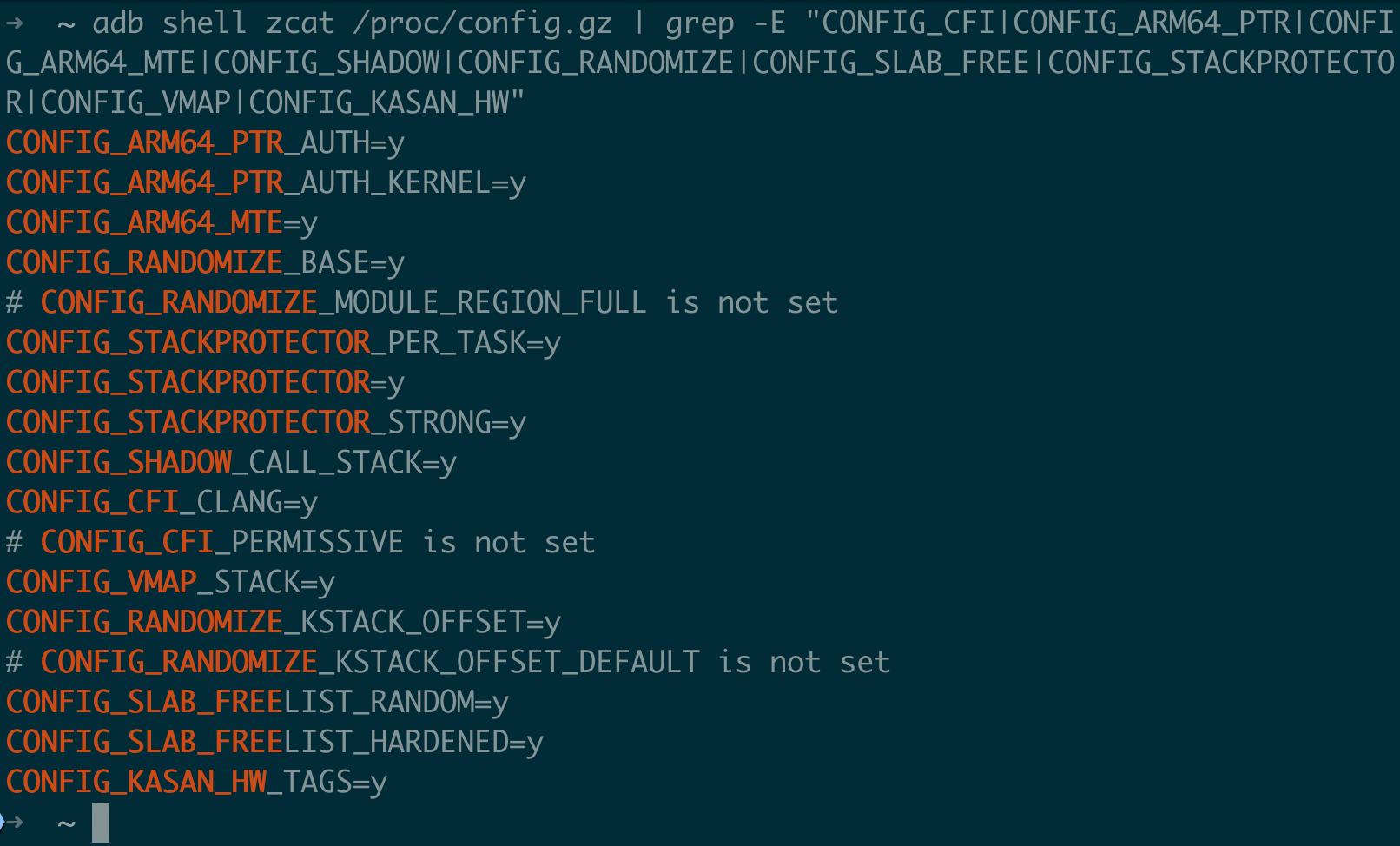
We could say that this is the most hardened Android kernel configuration we’ve seen. Every major exploit mitigation class is enabled. For SELinux bypass specifically, none of these directly prevent the six bypass methods from Part III (specifically those operate on data, not control flow), but they make constructing the kernel R/W primitive needed to reach those methods a lot harder.
Conclusion
This post covered the other half of Android SELinux security which is not how to bypass it, but how to understand what’s actually enforced and what’s defending it.
The Treble policy split means you’re dealing with at least two independent policy sources on any real device, and vendor policy is consistently where the most interesting, and most permissive rules live. The sesearch workflow gives you a systematic way to map out exactly what a given domain can reach which is your attack surface enumerated.
On the defensive side, the kernel mitigation stack on Android 16 (kCFI, PAC, MTE, SCS) makes building the exploit primitives needed to even reach SELinux bypass significantly harder. But as the mitigation matrix shows, none of them protect the SELinux data structures themselves, and that’s still the job of hypervisor-based solutions like Samsung RKP, Huawei HKIP, and eventually Google’s pKVM.
And Android 16 itself brings some interesting changes! The new SDK sandbox domains reveal Google’s roadmap for tightening sandbox permissions. The auditallow rules show exactly what’s on the chopping block, genfs label versioning adds complexity to exploit portability, and the kernel 6.6 structural layout confirms that the bypass techniques from Part III still target the same structures.
If you haven’t already, pull the policy from your target device and run through the analysis workflow. The rules are dense, but they tell you exactly what each process can and can’t do, and that’s your attack surface map right there.
References
- Part I: Android SELinux Internals
- Part II: SELinux Domains, Denials, and Bypass with Root Tools
- Part III: Kernel-Level SELinux Bypass and Real-World Exploit Chains
- AOSP SELinux Documentation
- AOSP SELinux Compatibility (Treble)
- Clang kCFI Design Document
- GKI 6.6
include/linux/cfi_types.h— kCFI type hash mechanism - GKI 6.6
security/security.c— LSM hook dispatch (call_int_hook) - GKI 6.6
arch/arm64/kernel/traps.c— kCFI violation handler - GKI 6.6
kernel/cfi.c—report_cfi_failure() - GKI 6.6
mm/kasan/common.c— KASAN slab alloc/free tagging - ARM MTE Overview for Android
- Android GKI Overview
- GitHub Blog — Android Kernel Mitigations Obstacle Race
- setools-android
Recommended Training
Offensive Android Internals
Dig into Android internals and reverse engineer APKs, native libraries and system binaries.

Offensive Android Internals
Same syllabus, self-paced. Lifetime access to videos, labs and updates on 8kSec Academy.
Enroll on AcademyGet in Touch
Want to learn these techniques hands-on, or need help assessing your own mobile or AI stack? We run live and on-demand trainings, offer mobile-security certifications, and take on penetration-testing engagements. Pick the door that fits.
We respond within one business day. Visit our events page to see where we'll be next.